Craft Inventory Spreadsheet: How to Track Materials, Batches and Finished Stock
Set up a craft inventory spreadsheet that follows raw materials, production batches and finished stock, with formulas for stock on hand, cost per item and reorder points.
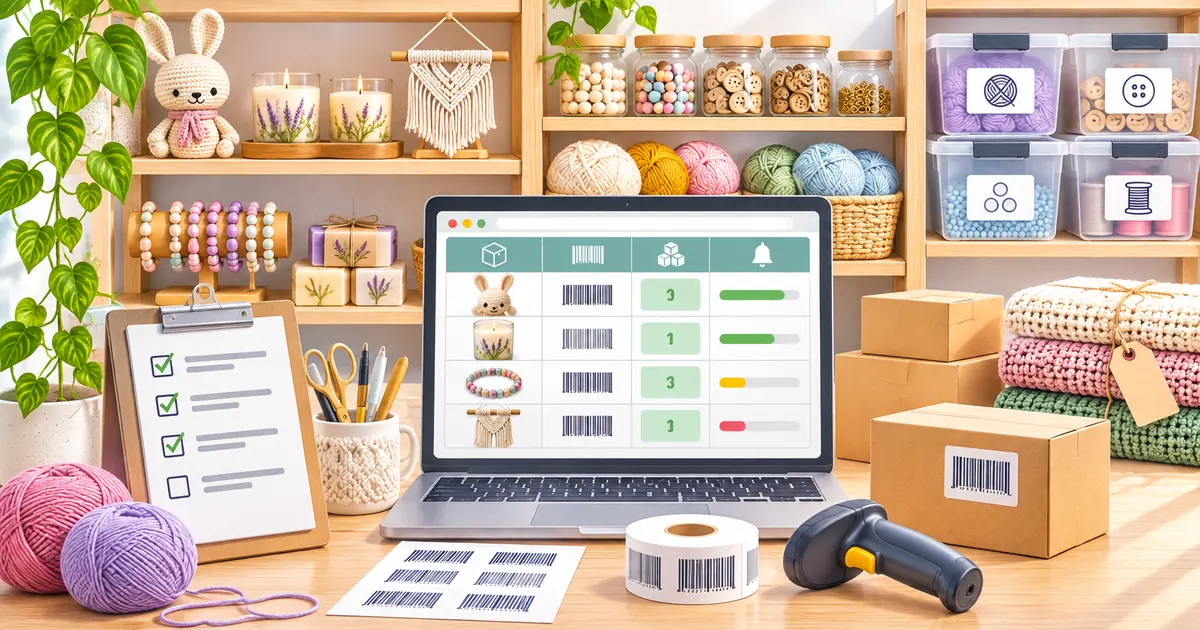
Short answer: a craft inventory spreadsheet has to track two kinds of stock at once — the raw materials you buy and the finished pieces you sell — and connect them through a recipe for each product. With six tabs (Materials, Purchases, Recipes, Production, Sales and Products) and a handful of SUMIFS formulas, one sheet can show how much of every material you have, what each finished item cost to make and when it is time to reorder.
Most inventory templates are built for shops that buy finished goods and resell them. Makers have a harder problem: one carton of wax becomes forty candles, one roll of fabric becomes a dozen bags, and the same material appears in several products. This guide shows how to build a sheet that handles that, step by step. The formulas work the same way in Excel and Google Sheets.
Why craft inventory is different
A reseller counts one thing: units of product. A maker follows stock through three stages:
- Raw materials — wax, yarn, clay, beads, fabric, jars, labels and packaging, usually bought in bulk and measured in grams, metres or pieces.
- Work in progress — pieces that are curing, drying, firing or waiting to be finished.
- Finished goods — items ready to list, ship or take to a market.
If you only count finished goods, you discover you are out of a key material when you sit down to make the next batch. If you only count materials, you cannot tell which products are earning their place. The spreadsheet below links the two, so every batch you record automatically uses up the right amount of each material.
The tabs you need
| Tab | One row per | Main columns |
|---|---|---|
| Materials | material | ID, name, unit, supplier, lead time (days), safety stock, stock on hand, average cost, daily usage, reorder point, status |
| Purchases | delivery line | Date, material ID, quantity (in the material’s unit), total paid including shipping |
| Recipes | material in a product | Product SKU, material ID, quantity per item, units started, quantity used, used in last 90 days, cost per item |
| Production | batch | Date, batch ID, product SKU, units started, good units, hours |
| Sales | order line | Date, product SKU, quantity, channel |
| Products | product | SKU, name, finished stock on hand, material cost per item |
Add one small Adjustments tab (date, ID, quantity, reason) for corrections after a physical count, samples, gifts and damaged pieces. Material IDs and product SKUs never overlap, so one tab can hold both. Turn every tab into a table (Excel: Insert → Table; Google Sheets: Format → Convert to table) so new rows pick up formulas automatically.
Step 1: Set up the Materials tab
Give every material a short ID such as WAX-SOY or JAR-8OZ and choose one unit you will always use for it: grams for wax and fragrance, metres for ribbon, pieces for jars and labels. Mixed units are the most common reason craft inventory goes wrong. If you buy wax by the kilogram but your recipe uses grams, convert when you enter the purchase, never later.
Add two planning columns: lead time, the number of days between placing an order and having the material on your bench, and safety stock, the amount you never want to go below. Both are your own estimates; adjust them as you learn how your suppliers behave.
In the formulas below the Materials columns are: A ID, B name, C unit, D supplier, E lead time, F safety stock, G stock on hand, H average cost, I daily usage, J reorder point, K status.
Step 2: Log every purchase
Each time materials arrive, add a row to Purchases (A date, B material ID, C quantity, D total paid). Include shipping and any import charges in the total: shipping is part of what the material cost you, and leaving it out makes every product look cheaper than it is.
Average cost per unit is total spent divided by total quantity bought. In Materials, column H:
=IFERROR(SUMIFS(Purchases!D:D,Purchases!B:B,A2)/SUMIFS(Purchases!C:C,Purchases!B:B,A2),0)
This weighted average is easy to maintain and good enough for pricing decisions. If you need a specific inventory valuation method for your tax return, confirm it with your accountant.
Step 3: Write a recipe for each product
The Recipes tab is what makes the sheet work for makers. List every material in each product with the quantity one finished item uses. An 8 oz candle might look like this:
| Product SKU | Material ID | Quantity per item | Unit |
|---|---|---|---|
| CAN-LAV-8 | WAX-SOY | 200 | g |
| CAN-LAV-8 | OIL-LAV | 18 | g |
| CAN-LAV-8 | WICK-M | 1 | piece |
| CAN-LAV-8 | JAR-8OZ | 1 | piece |
| CAN-LAV-8 | LBL-STD | 1 | piece |
The quantities and prices in this guide are an illustrative example; weigh, count and price your own.
With product SKU in column A, material ID in B and quantity per item in C, add these formula columns:
- Units started (D):
=SUMIFS(Production!D:D,Production!C:C,A2) - Quantity used (E):
=C2*D2 - Used in last 90 days (F):
=C2*SUMIFS(Production!D:D,Production!C:C,A2,Production!A:A,">="&TODAY()-90) - Material cost per item (G):
=C2*XLOOKUP(B2,Materials!A:A,Materials!H:H)— use INDEX/MATCH if your version has no XLOOKUP.
Count units started, not good units: a piece that cracks or fails your quality check still used its materials.
Step 4: Record production batches
Every time you make a batch, add one row to Production: A date, B batch ID (for example B-2026-031), C product SKU, D units started, E good units and F hours worked. That single row is all you type — the Recipes tab works out which materials the batch consumed.
Batch IDs pay off later. If a customer reports a problem, the batch tells you which delivery of wax or which lot of fragrance it came from, so you can check the other pieces from the same run before they ship.
Step 5: Calculate stock on hand
For each material (Materials, column G), stock on hand is what you bought, minus what your batches used, plus or minus adjustments:
=SUMIFS(Purchases!C:C,Purchases!B:B,A2)-SUMIFS(Recipes!E:E,Recipes!B:B,A2)+SUMIFS(Adjustments!C:C,Adjustments!B:B,A2)
For finished goods, the Products tab (SKU in column A) does the same with good units and sales:
=SUMIFS(Production!E:E,Production!C:C,A2)-SUMIFS(Sales!C:C,Sales!B:B,A2)+SUMIFS(Adjustments!C:C,Adjustments!B:B,A2)
Enter adjustments as negative numbers when stock goes missing, breaks or is given away, and as positive numbers when a count finds more than the sheet expected. Always fill in the reason; a pattern of the same reason is worth fixing at the source.
Step 6: Set reorder points
A reorder point tells you to order before you run out, while you still have enough material to keep working until the new delivery arrives:
Reorder point = average daily usage × lead time in days + safety stock
- Daily usage (I):
=SUMIFS(Recipes!F:F,Recipes!B:B,A2)/90 - Reorder point (J):
=I2*E2+F2 - Status (K):
=IF(G2<=J2,"Reorder","OK")
A worked example with soy wax: each candle uses 200 g. In the last 90 days you started 270 candles, so you used 54,000 g — an average of 600 g a day. Your supplier delivers in 7 days and you keep 2,000 g as safety stock:
Reorder point = 600 × 7 + 2,000 = 6,200 g
With 5,500 g on the shelf, the status reads Reorder. If you order today, you will use about 4,200 g while you wait and have roughly 1,300 g left when the wax arrives — inside your safety stock, which is exactly what safety stock is for. Add conditional formatting to colour the status column so items to reorder stand out.
Step 7: Work out the cost of each finished item
In Products, material cost per item is the sum of the recipe lines: =SUMIFS(Recipes!G:G,Recipes!A:A,A2). For a full batch cost, add your labour and a share of overhead, then divide by good units, so the items you can sell carry the cost of the ones you could not:
| Batch of 30 candles | Calculation | $ |
|---|---|---|
| Soy wax | 30 × 200 g × $0.006 | 36.00 |
| Fragrance oil | 30 × 18 g × $0.05 | 27.00 |
| Wicks | 30 × $0.12 | 3.60 |
| Jars | 30 × $1.40 | 42.00 |
| Labels | 30 × $0.15 | 4.50 |
| Materials | 113.10 | |
| Labour | 4 hours × $20 | 80.00 |
| Overhead share | monthly overhead ÷ batches | 15.00 |
| Batch cost | 208.10 | |
| Cost per good unit | 208.10 ÷ 28 good units | 7.43 |
Two candles failed the quality check, so the cost per sellable candle is $7.43 rather than $6.94. That number is the starting point for your price; our guide on how to price handmade products takes it from cost to a price that also covers profit and selling fees, and the profit margin calculator in Excel shows how to check the margin you end up with.
A routine that keeps the numbers right
- Every time it happens: enter deliveries and batches on the day. A sheet updated from memory at the end of the month is always wrong.
- Weekly: add sales (or paste your shop’s order export into the Sales tab), then look at the status column before ordering supplies.
- Monthly: physically count a handful of materials and finished products, rotating so that everything is counted at least once a quarter. Record differences in Adjustments with a reason.
- Year-end: do a full count of materials, work in progress and finished goods. US sellers who file Schedule C calculate cost of goods sold from inventory at the start and end of the year, so this count matters; your accountant can confirm the method that applies to you. Our guides to Etsy bookkeeping and small business bookkeeping cover the rest of the records.
Common mistakes to avoid
- Mixing units. One material, one unit, everywhere. Convert at the point of purchase.
- Forgetting packaging and consumables. Boxes, tissue, mailers, labels and thank-you cards run out just like wax and yarn. If they ship with every order, they belong in the recipe.
- Not recording rejects, samples and gifts. They are why the sheet and the shelf disagree. Log them as adjustments.
- Editing a recipe in place. Changing the quantity per item recalculates past usage too. When a recipe changes meaningfully, create a new SKU or version (for example
CAN-LAV-8-V2) and keep the old rows. - Typing over formulas. Protect formula columns or colour them so nobody overwrites them by accident.
Spreadsheet or inventory app?
| A spreadsheet is usually enough when… | Consider an inventory app when… |
|---|---|
| You manage dozens rather than hundreds of materials | Stock must sync automatically across several sales channels |
| One or two people enter the data | Several people make, pack and ship at the same time |
| You sell through one or two channels | You need lot tracking, barcode scanning or supplier purchase orders |
| You want full control of the formulas | Data entry takes more time than the work it supports |
Even if you move to an app later, the structure above — materials, recipes, batches and finished goods — is the same, so the time spent setting it up is not wasted.
Source: About Schedule C (Form 1040), Profit or Loss from Business, Internal Revenue Service.
Frequently asked questions
Does this work in Google Sheets?
Yes. SUMIFS, IFERROR and XLOOKUP all exist in Google Sheets, and the tab and column layout is identical. Sheets is a good choice if you want to update stock from your phone at a market.
How do I track work in progress?
Add a status column to Production (In progress or Finished) and add the status as an extra condition when counting good units in Products, for example SUMIFS(Production!E:E,Production!C:C,A2,Production!G:G,"Finished"). Materials are still deducted as soon as the batch starts.
Should packaging be tracked as inventory?
Yes, if it goes out with every order. Add it to each product’s recipe so it is deducted automatically and included in the cost per item.
How do I handle custom orders?
Give the custom piece its own SKU and recipe, record the materials bought for it as normal purchases and log the work as a one-item batch. The cost per item then shows whether the custom price covered the extra time.
How often should I count stock physically?
A small rotating count every month is easier than one large count a year and catches problems earlier. Do a full count at least at year-end.
More guides for makers are collected in Handmade & Craft Business, part of our Online Selling & Inventory section.